
Golden
See when your household can retire.
Golden turns the statement files your bank and card companies already give you into household books and a retirement plan. It shows the month each of you can retire and what would move that date. Your statements and plan stay on your computer.
$39.99 once
Mac (Apple silicon) and Windows
Buy Golden14-day free trial in the app. Sold by Paddle, our Merchant of Record.
Plans with automatic bank updates (coming soon)
Everything in Golden. Automatic bank and card updates through Plaid aren't available yet. They will be added to these plans when they are ready. Until then, you import statements the same way as with the one-time license.
Renews until you cancel.
Try Golden free for 14 days
Every feature, no account and no card. When the trial ends, buy a license to keep going.
Mac For this computer
macOS 13 or newer, Apple silicon
Download for MacGolden for Mac (.dmg)
If your Mac says it can't check the app, right-click it and choose Open.
Windows For this computer
Windows 10 or 11, 64-bit
Download for WindowsGolden for Windows (setup .exe)
The installer isn't code-signed yet, so Windows may warn you. Choose More info, then Run anyway.
This is the latest build of Golden, updated as we work on it.
See Golden
8 screens
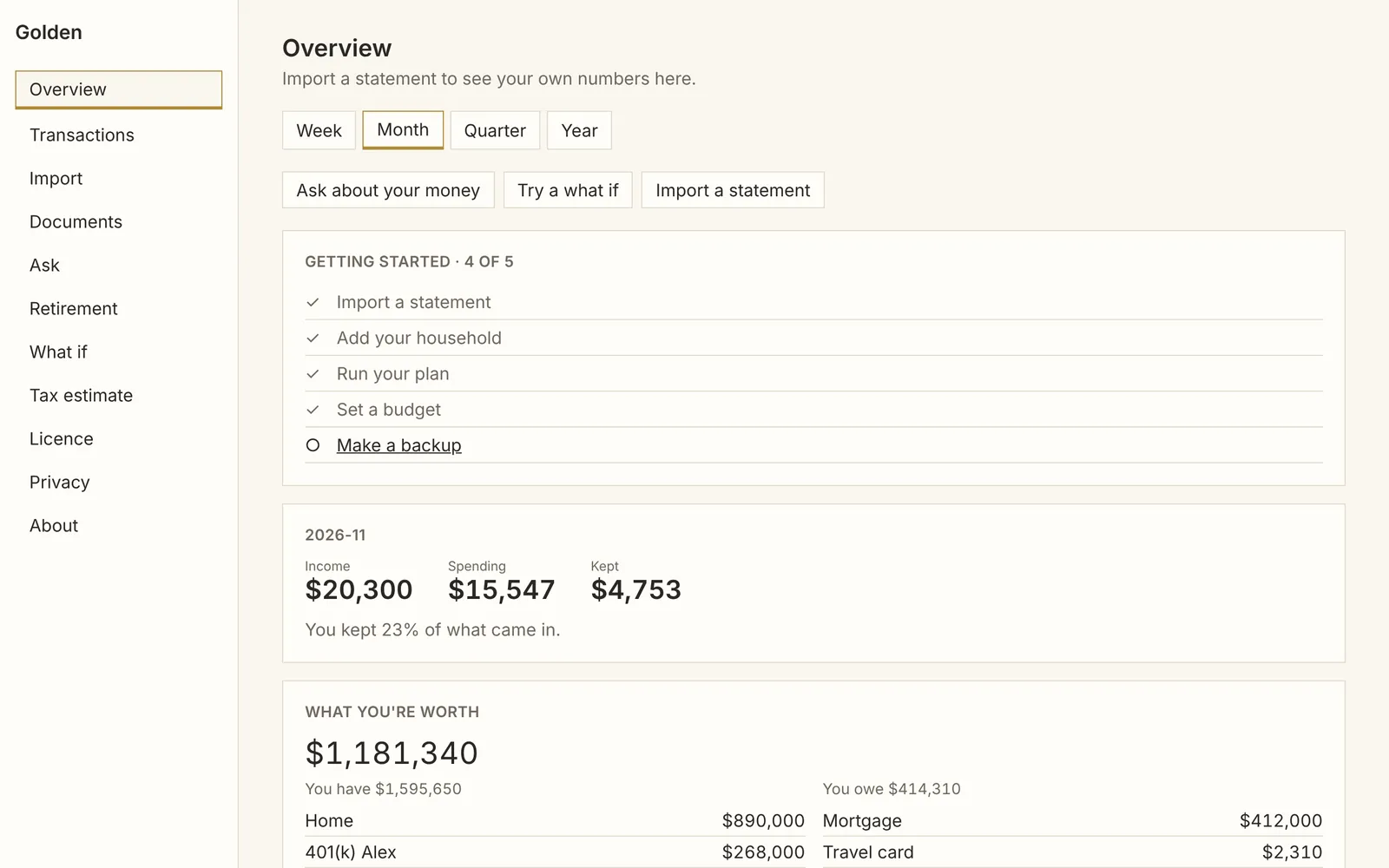
Your household at a glance: what came in this month, what you kept, and what you're worth. 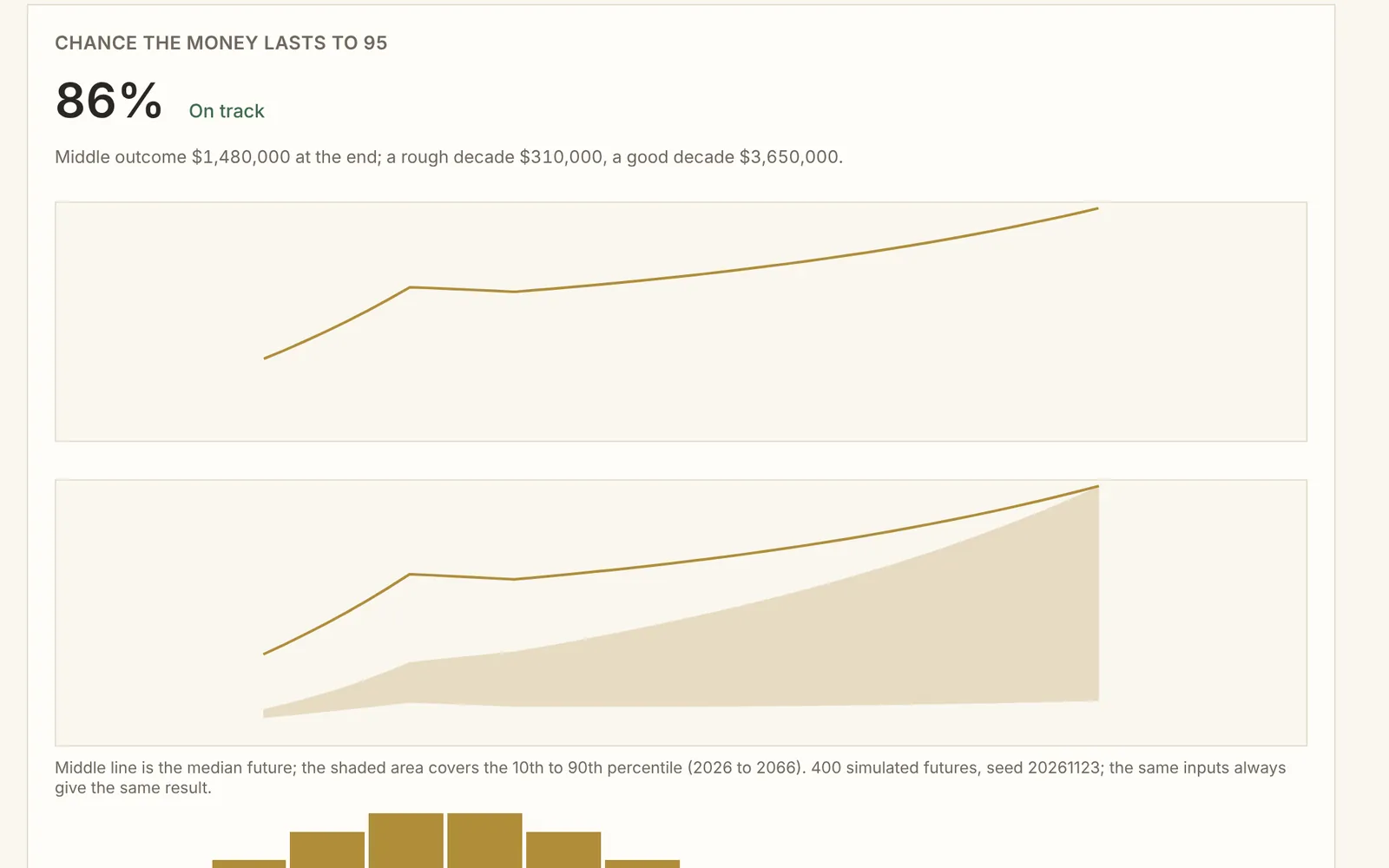
The chance your money lasts, with the range of good and rough outcomes. 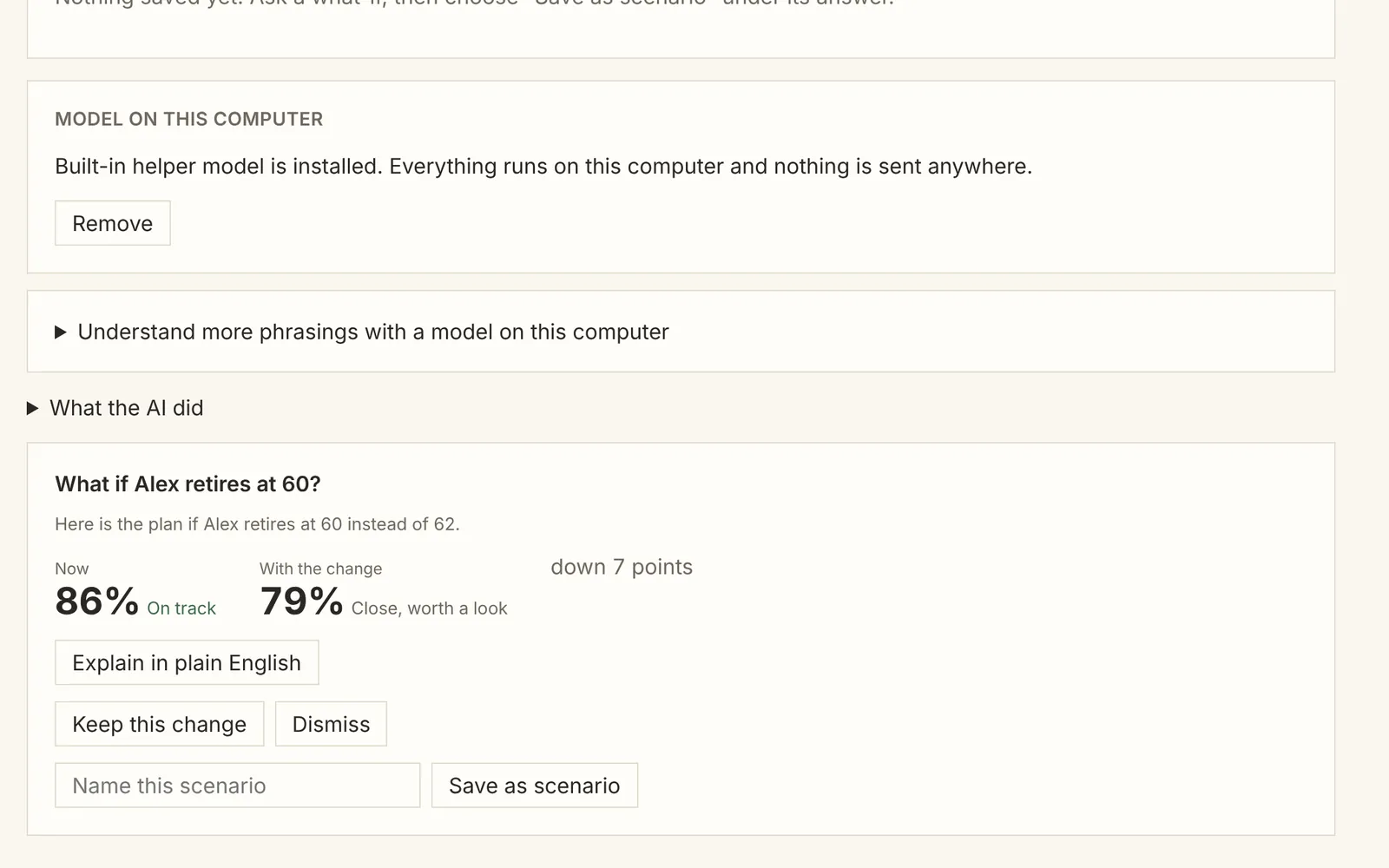
Ask “what if” in plain words and see the plan before and after the change. 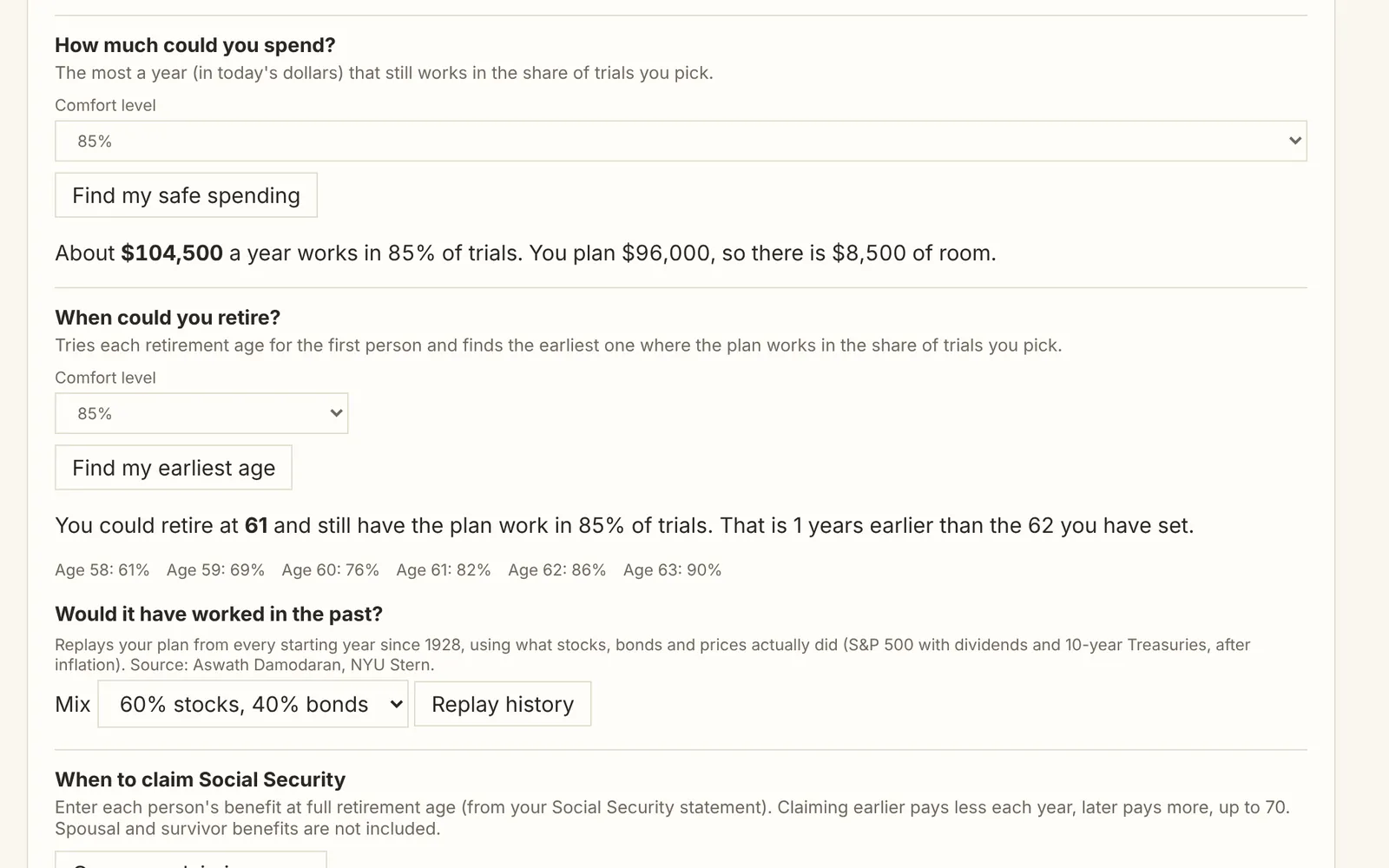
How much you could spend each year, and the earliest age you could retire. 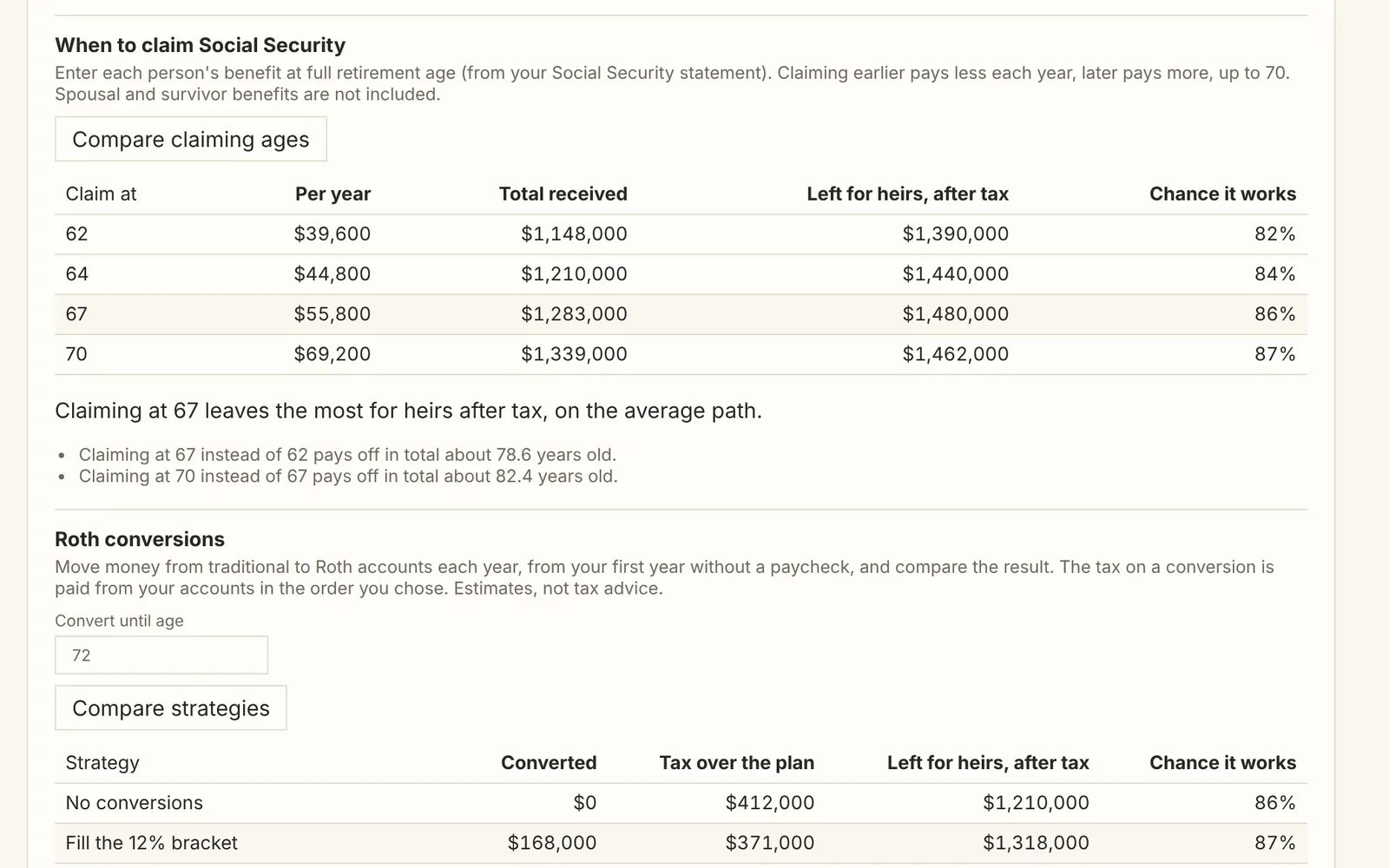
Compare Social Security claiming ages, and see when waiting pays off. 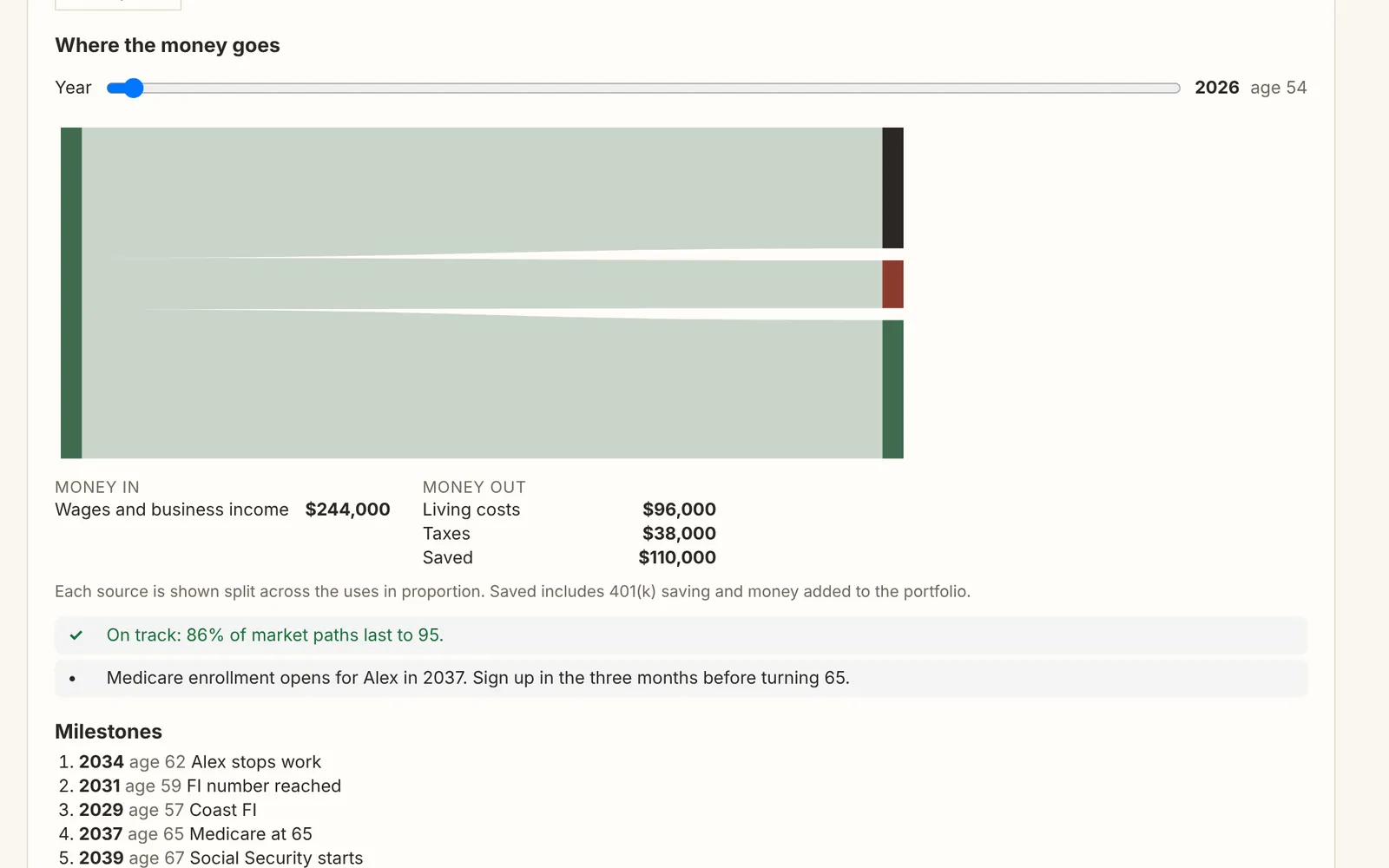
Where the money goes in each year of the plan, and the milestones along the way. 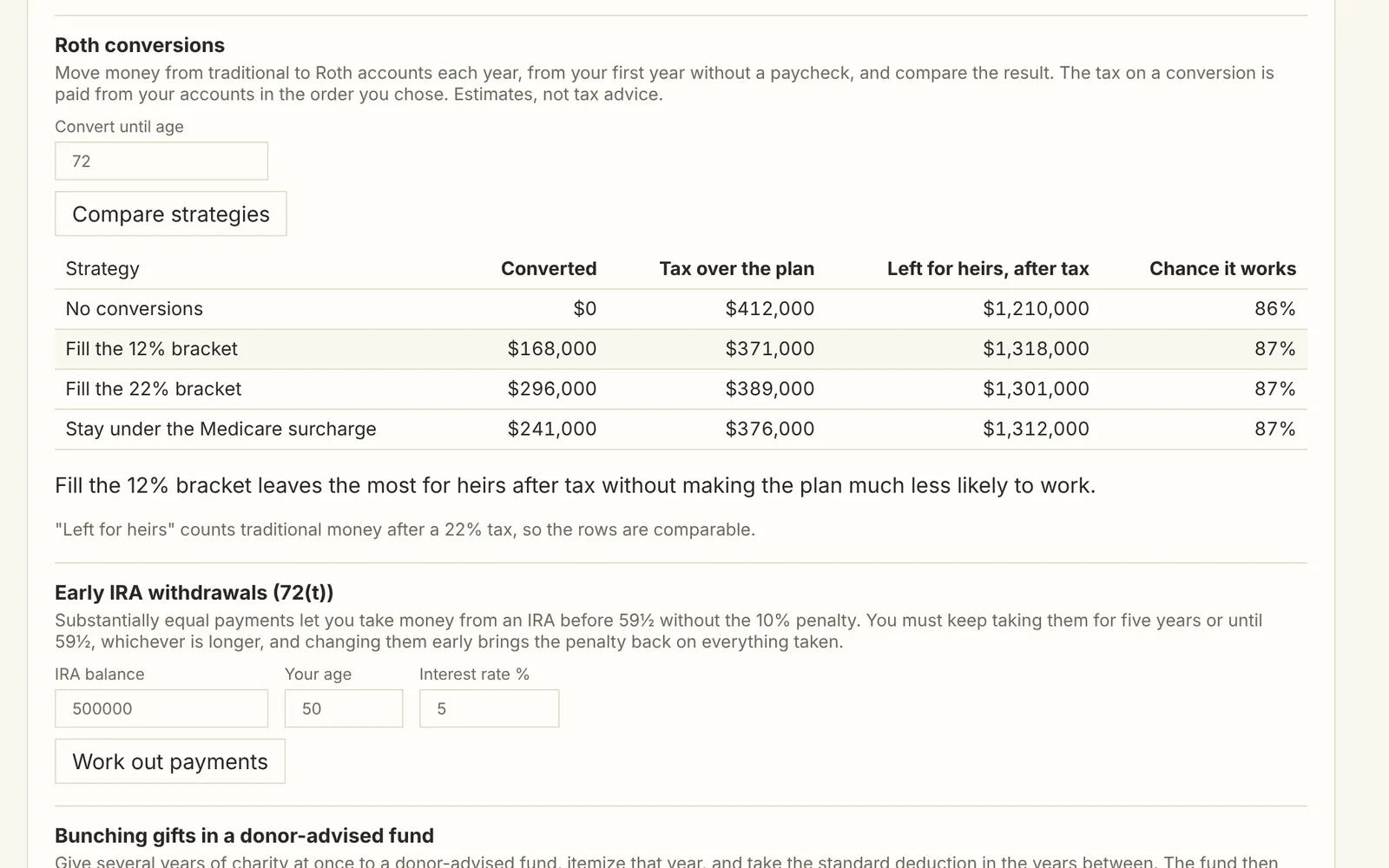
Compare Roth conversion strategies by tax paid, what's left for heirs and the chance the plan works. 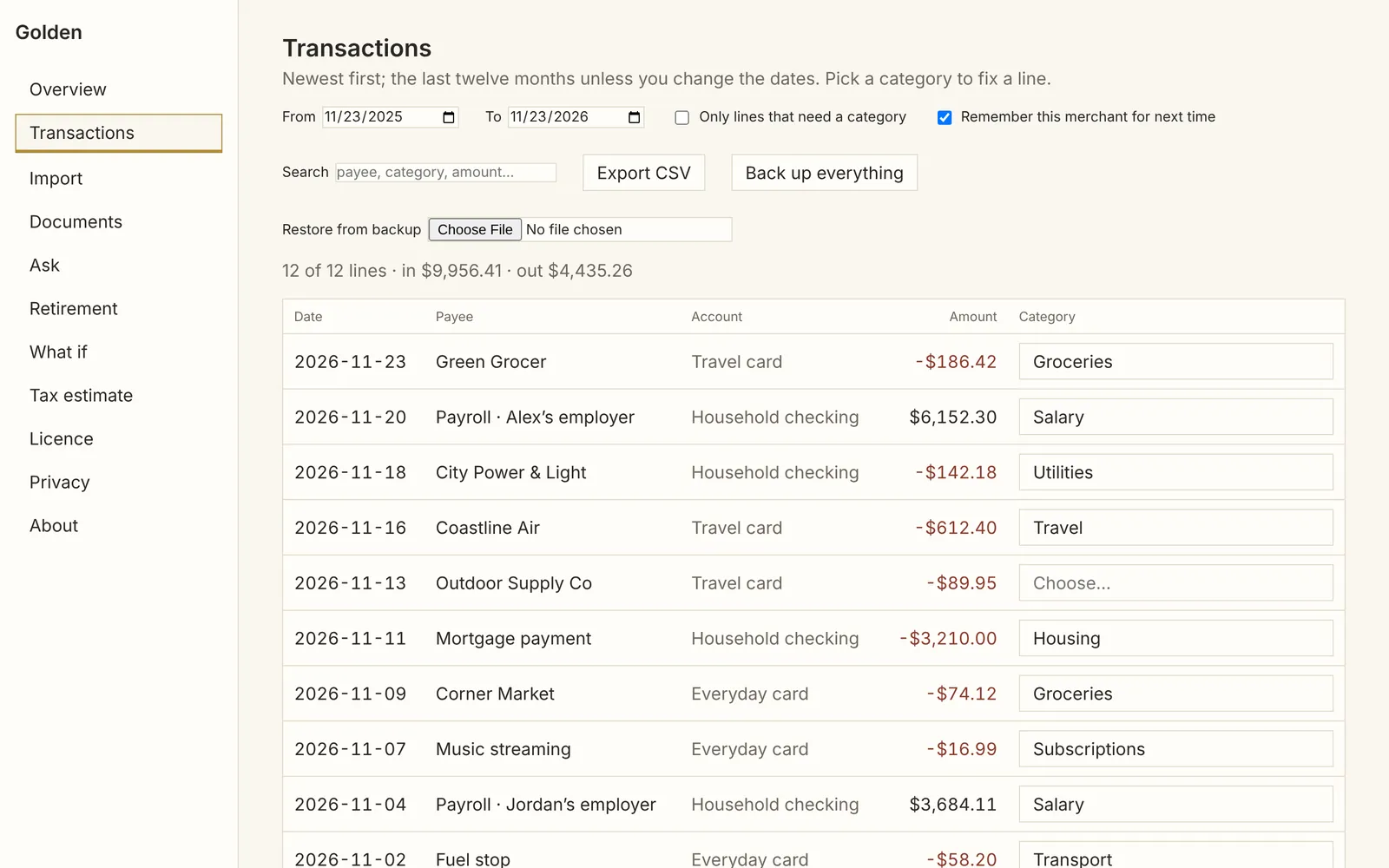
Every transaction from your statements, sorted into categories you can fix in one click.
Screens shown with sample data.
What Golden does
Your books
Statements in, books out
Import CSV, OFX or text PDF statements one at a time, a whole folder at once, or from a folder Golden watches. Each import is checked against the closing balance the statement prints.
Categories that learn
Fix a category once and Golden remembers that merchant. The built-in model suggests categories for lines it hasn't seen, and transfers between your own accounts never count as spending.
Ask in plain words
Ask “what did we spend on groceries last quarter?” and get an answer taken only from your own books.
Month close
Check a finished month, read a short summary, and lock it so nothing changes by accident. Reopen it if you need to.
Paystubs and withholding
Paste a paystub to add pay to the plan, and check whether enough tax is being taken out of each paycheck.
Spending and saving
Where the money goes
Budgets, cash flow by week, month, quarter or year, and a flow chart of money in and out with a slider for each year.
What repeats
Golden finds your subscriptions, bills and paychecks, adds up what they cost in a year, and shows when the next one is due.
What stands out
Plain-language notes on last month: what went up, what went down, and anything unusual.
Debts and goals
Compare paying debts off by highest rate or smallest balance, see what extra money saves, and track savings goals against their dates.
Net worth over time
Everything you own and owe, a month-end history, and a 12-month forecast of where you're headed.
Your retirement
When you could retire
The earliest age that meets the success target you choose, for each of you, with milestones such as your FI number, Coast FI, Social Security, Medicare and required withdrawals.
The chance it lasts
Thousands of market paths drawn from historical returns, with a fan chart of good and rough outcomes. Backtest the plan against real past markets.
Safe spending
The most you can spend each year at the comfort level you pick, with spending rules and the order to draw from your accounts.
Progress against the plan
See how your real net worth is tracking against what the plan expected, with check-ins along the way.
A score for your plan
A checklist of what's missing and warnings where the plan may be less accurate than it looks.
Taxes
Federal and state income tax
Including the alternative minimum tax, the SALT cap, investment income tax, the senior deductions, and Social Security taxed by the IRS rules.
Roth conversions
Compare fixed or bracket-filling conversions side by side, including ones sized to stay under the first Medicare surcharge.
Medicare and required withdrawals
Medicare premiums with the two-year income lookback, required minimum distributions, and giving straight from an IRA.
Gains and subsidies
How much gain you can take at 0% tax, and where the health insurance subsidy cliff sits.
Self-employed
Self-employment tax, the QBI deduction, and how much you can put in a Solo 401(k) or SEP IRA.
Big decisions
Ask “what if”
Type “what if we both retire at 62” and see the plan with and without the change. Save scenarios and compare up to three.
When to claim Social Security
Outcomes for each claiming age, and the age where waiting pays off.
Home and family
Rent or buy, paying off the mortgage, downsizing, and children's childcare, college and tax credit.
Health care
Estimates for health care and long-term care costs that you can adjust.
Investments and estate
A check-up of your mix, fees and concentration, plus estate tax, the inherited IRA ten-year rule, early-withdrawal plans and donor-advised fund bunching.
Your data
Encrypted on your computer
The database and a document vault for tax forms and statements are encrypted, with the key in your computer's keychain.
Private by default
A Privacy page lists every outside service and what it would send. Nothing leaves your computer unless you turn it on.
Hide amounts
One click hides dollar amounts when you share your screen.
Reports and plan files
Save a printable plan report with CSV and JSON data, or share your plan as a file.
AI that stays home
The built-in AI model runs on your computer. AI assistants you connect get read-only access, so they can look at your plan but never change it.
Two people, one plan
Every account and income belongs to one of you or to both, including pensions, employer match and HSA.
Price and requirements
- Price
- $39.99 once. Or $9.97 a month or $100 a year, with automatic bank updates through Plaid coming soon.
- Trial
- 14 days with every feature.
- Computers
- A Mac with Apple silicon running macOS 13 or newer, or Windows 11 (64-bit).
- Where it works
- United States households. Five states' income tax (AR, MD, MN, NY and VT) is approximate for now.
- What goes over the internet
- Update and license checks only. Automatic bank updates through Plaid are coming soon. When they arrive they will be optional, part of the monthly or yearly plan.
Orders are processed by Paddle.com, our online reseller and Merchant of Record. Refund policy · Terms · Privacy